After working on multiple websites across different niches and fixing common mistakes by using seo checklist, I’ve learned one simple truth:
Great content alone doesn’t rank. Well-optimized content does.
Additionally, on-page SEO is where most websites silently lose rankings. Not because they don’t try but because they miss the basics or unknowingly make small mistakes that compound over time.
In this blog, I’m sharing my practical on page SEO checklist, along with real mistakes I’ve seen (and fixed) and the solutions that actually worked.
Table of Contents
On-Page SEO Checklist
From titles and headers to URLs and content structure, the right approach can improve rankings, increase clicks, and enhance user experience. This checklist covers all the key elements you should review for every page.
1. Keyword Intent Comes Before Keyword Placement
What most people do wrong: They choose keywords only based on search volume.
I once optimized a page for a high-volume keyword, but it never even reached the second page, until I realized the problem wasn’t optimization, it was search intent. After analyzing the SERP, I realized the intent was informational, while my page was transactional.
If your content doesn’t match intent, no amount of on-page SEO will help.
✅ Checklist
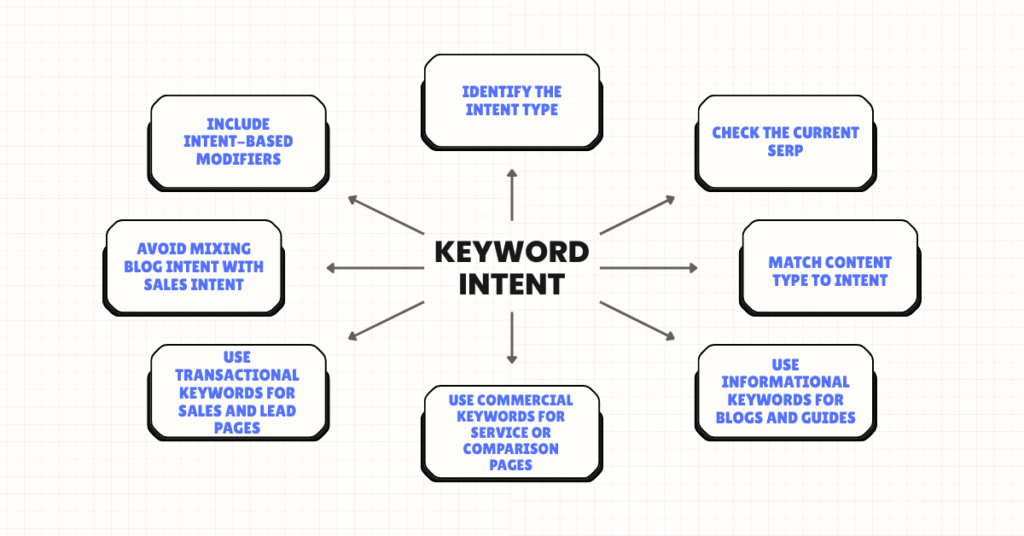
- Identify the intent type: Informational, Navigational, Commercial, or Transactional
- Check the current SERP (blogs, videos, product pages, tools)
- Match content type to intent (guide, list, service page, product)
- Use informational keywords for blogs and guides
- Use commercial keywords for service or comparison pages
- Use transactional keywords for sales and lead pages
- Avoid mixing blog intent with sales intent
- Include intent-based modifiers (best, how to, price, near me)
- Optimize title and H1 based on intent
- Make sure CTA matches user intent
2. Title Tags: Small Change, Big Ranking Impact
One common mistake I see again and again is page titles that are either too generic or overloaded with keywords, which makes them easy for users (and Google) to ignore.
I faced this firsthand with one of my own pages. The original title was very basic “SEO Checklist | SEO Services”. It was technically correct but didn’t give any real reason to click. After reworking it, I changed the title to “SEO Checklist (2025): 15 Fixes That Improved My Rankings”. This version clearly signals freshness, sets expectations, and adds a personal outcome.
Within a few weeks, I noticed a visible lift in CTR and improved impressions in Search Console. That small shift from keyword-focused to user-focused, made a measurable difference.
✅ Checklist:
- Keep titles within 50-60 characters
- Place the primary keyword near the start
- Write for users first, not keywords
- Avoid keyword stuffing
- Make each title unique
- Match the search intent
- Add context or value (year, benefit, number, result)
- Use branding only where it makes sense
- Ensure titles clearly describe the page
- Check for duplicates and truncation
3. Meta Descriptions Don’t Rank But They Sell
Many people ignore meta descriptions because Google may rewrite them. That’s a mistake. Why? A well-written meta description improves click-through rate, which indirectly supports rankings.
Example:
Learn my proven on-page SEO checklist with real mistakes, fixes, and examples that helped improve rankings and traffic.
✅ Checklist:
- Keep length between 150-160 characters
- Include the primary keyword naturally
- Write for users, not just search engines
- Clearly explain what the page offers
- Add a benefit or outcome (what the user will gain)
- Use action words (learn, check, improve, fix)
- Avoid keyword stuffing
- Make each meta description unique
- Match the search intent
- Ensure it aligns with the page content
4. URL Structure: Keep It Clean & Human-Friendly
Another mistake I often find during audits is poor URL structure. Many pages have long URLs, dynamic parameters, or dates that make the content look outdated.
For example, a URL like /blog/1234/on-page-seo-checklist-2022-final-version looks messy and less trustworthy. I optimized it to /on-page-seo-checklist, which is short, clean, and keyword-focused.
This makes the URL evergreen, easier to understand, and more SEO-friendly for both users and search engines.
✅ Checklist:
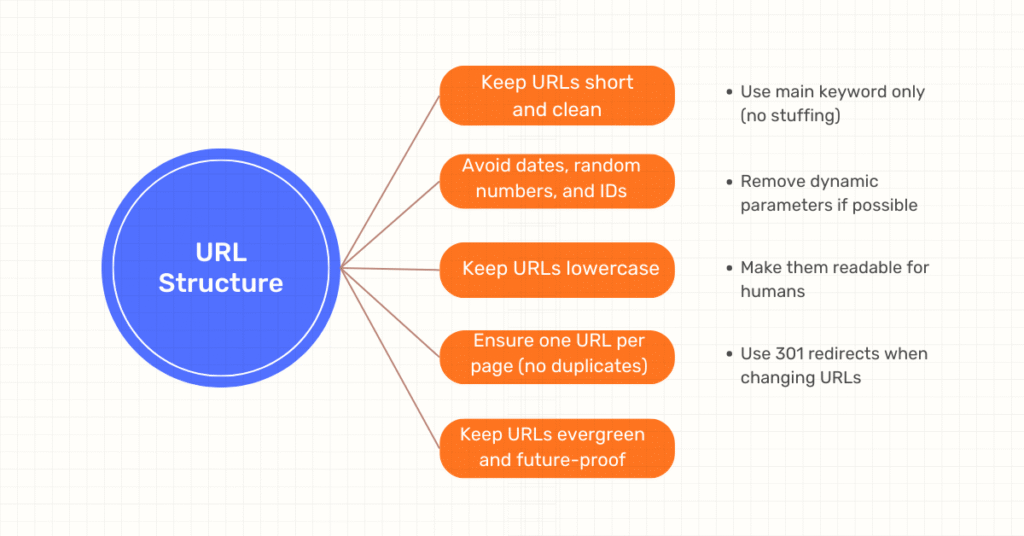
- Keep URLs short and clean
- Use main keyword only (no stuffing)
- Avoid dates, random numbers, and IDs
- Remove dynamic parameters if possible
- Use hyphens (-) to separate words
- Keep URLs lowercase
- Make them readable for humans
- Ensure one URL per page (no duplicates)
- Use 301 redirects when changing URLs
- Keep URLs evergreen and future-proof
5. Header Tags (H1-H3): Structure Matters More Than You Think
One of the most common on-page SEO issues I fix is poor heading structure. I often see pages with multiple H1 tags, headings used only for styling, or no keyword variation in subheadings at all.
My approach is simple, I keep:
- One H1 per page focused on the main keyword,
- Use H2s for major sections, and
- Add secondary keywords naturally within H2s and H3s.
This small but important fix improves readability, increases featured snippet opportunities, and helps search engines better understand the content structure.
✅ Checklist:
- Use only one H1 per page
- Place the primary keyword in the H1 naturally
- Use H2s for main sections
- Use H3s for sub-points under H2s
- Add secondary and related keywords in H2/H3
- Keep headings clear and descriptive
- Don’t use headers just for styling
- Maintain a logical hierarchy (H1 → H2 → H3)
- Match headings with page intent
- Make headings scannable for users
6. Content Optimization: Write for Humans, Optimize for Search
One big misconception I often hear is that longer content always ranks better. In reality, relevant and well-structured content performs best.
From my experience, I focus on answering the main query early, using short and clear paragraphs, adding real examples, and including FAQs where they make sense.
I’ve seen many times that pages solving one problem clearly outperform much longer but unfocused articles.
✅ Checklist:
- Answer the main search query early
- Match content with search intent
- Use short paragraphs and clear formatting
- Add real examples or experience-based insights
- Optimize H1, H2, and H3 properly
- Use keyword variations naturally
- Include FAQs where relevant
- Add internal links to related pages
- Keep content focused on one main topic
- Update content to keep it fresh and accurate
7. Internal Linking: The Most Underrated On-Page Factor
I’ve seen pages move from page 2 to page 1 just by fixing internal links. Some common mistakes I notice are orphan pages, using generic anchor text like “click here,” and adding too many links without context.
My approach is simple: I link from high-authority pages to important pages, use clear and descriptive anchor text, and keep links relevant to the content.
For example, instead of using click here, I use something specific like a technical SEO checklist. This helps both users and search engines understand the page better.
✅ Checklist:
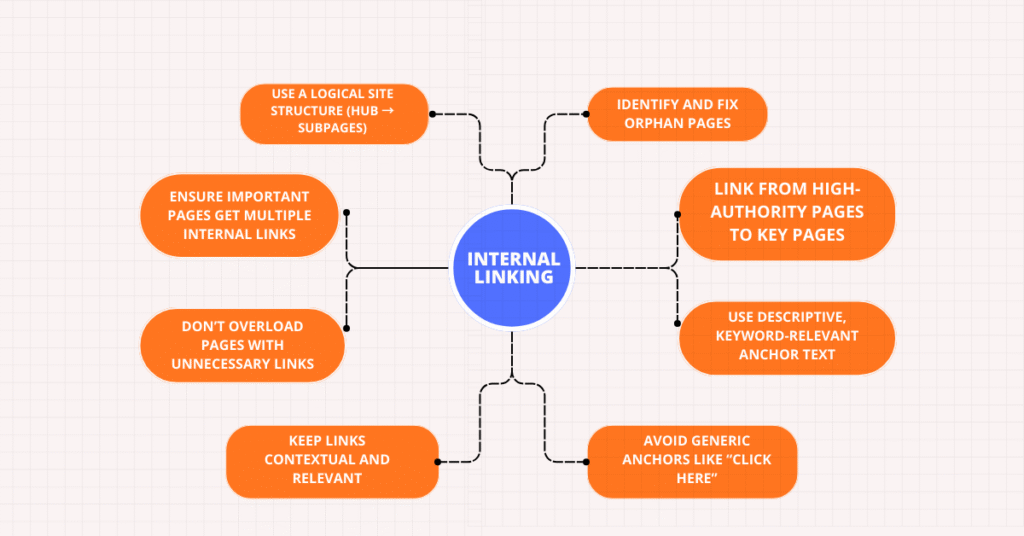
- Identify and fix orphan pages
- Link from high-authority pages to key pages
- Use descriptive, keyword-relevant anchor text
- Avoid generic anchors like “click here”
- Keep links contextual and relevant
- Don’t overload pages with unnecessary links
- Ensure important pages get multiple internal links
- Use a logical site structure (hub → subpages)
- Check for broken internal links
- Update internal links when content is refreshed
8. Image Optimization: SEO + User Experience
Image optimization mistakes are very common in audits. I often see images named `IMG_001.jpg`, missing alt text, or large file sizes that slow down the page.
Good image optimization improves SEO, page speed, and accessibility.
✅ Checklist:
- Rename images with relevant keywords
- Avoid default names like IMG_001.jpg
- Add descriptive alt text for every image
- Keep alt text natural and useful
- Compress images before upload
- Use proper file formats (WebP, JPG, PNG)
- Ensure images are mobile-friendly
- Don’t stuff keywords in alt text
- Use images that add value to the content
- Check image size to avoid page speed issues
9. Content Modification & Updates
One on-page fix that consistently works for me is updating existing content instead of creating new pages. I usually refresh outdated stats, replace old examples, update titles with the current year, and fix or add internal links.
In many cases, these modifications bring faster ranking improvements compared to publishing brand-new posts, because the page already has some authority and history.
✅ Checklist:
- Update outdated statistics and data
- Replace old examples or case studies with current ones
- Refresh titles and meta tags (add current year if relevant)
- Add or update internal links to related pages
- Improve readability: shorter paragraphs, clear headings
- Optimize keywords without stuffing
- Add FAQs or new sections based on search intent
- Check and fix broken links or outdated references
- Ensure content aligns with user intent
- Update images or media to keep content engaging
Final Thoughts: On-Page SEO Is Not a One-Time Task
From my experience, the websites that win are not the ones that do on-page SEO once but the ones that review, refine, and improve continuously.
If you get your on-page SEO right:
- Technical SEO becomes easier
- Content performs better
- Link building becomes more effective
Start with this checklist, fix the basics, and your rankings will follow.
Leave a Reply